The Operations Platform for Air Operators

Run every flight from request to receipt - in one system.

SkyTrade Operator is where a charter, medevac, cargo or tour operator runs its whole operation. Bookings, Operations, Fleet, Crew, Safety & Compliance, Maintenance, Dispatch, Flight Support, Pilots, Finance, HR and your executives each work on their own screen - on the same mission, with every check enforced before the aircraft moves.

A platform of SkyTrade Aviation · Book a private charter →

Missions · Fleet · Crew · Safety & Compliance · Maintenance · Dispatch · Finance · HR · B2B Network

The Problem

Your operation runs on hope right now.

Not because your team isn't good - because the tools weren't built for this. Every operator we've talked to describes some version of the same day.

A mission moves forward on memory, not proof.

Someone has to remember to check the aircraft's certificate, the crew's duty hours, whether the reservation is actually free - before every single flight. One missed check is a grounded aircraft or worse.

Nobody has the full picture at once.

Dispatch knows one thing, finance knows another, HQ finds out last. By the time a blocked mission gets escalated, it's already late.

Need an aircraft you don't have? Good luck.

You know other operators who might have the right aircraft free - but finding out means calling around and hoping you're not the second person to ask.

Invoicing a client means starting from scratch, again.

The quote lives in an email, the invoice gets built by hand, and the receipt is whatever you remember to send. Every step is a chance to get something wrong.

How We Fix It

One system that catches what a spreadsheet can't.

Not another records system with a workflow bolted on - a workflow system, with the records to back it up.

Nothing Gets SkippedA mission can't move forward if a required check hasn't happened - not a checklist someone can forget, a rule the system enforces.
One Version of the TruthDispatch, finance, and HQ are all looking at the same live picture - not three different spreadsheets that disagree.
No More "Who Has It?"Aircraft and crew reservations can't be double-booked by two people racing each other - the system won't let it happen.
Compliance Catches ItselfExpiring certificates and duty limits show up before they're a problem, not after someone notices the hard way.
Everyone Sees What Everyone Else SeesNo more finding out something changed because someone forgot to mention it in a group chat.
A Real Record, AlwaysEvery change is logged and can't be quietly edited - useful the one time you actually need to know exactly what happened.
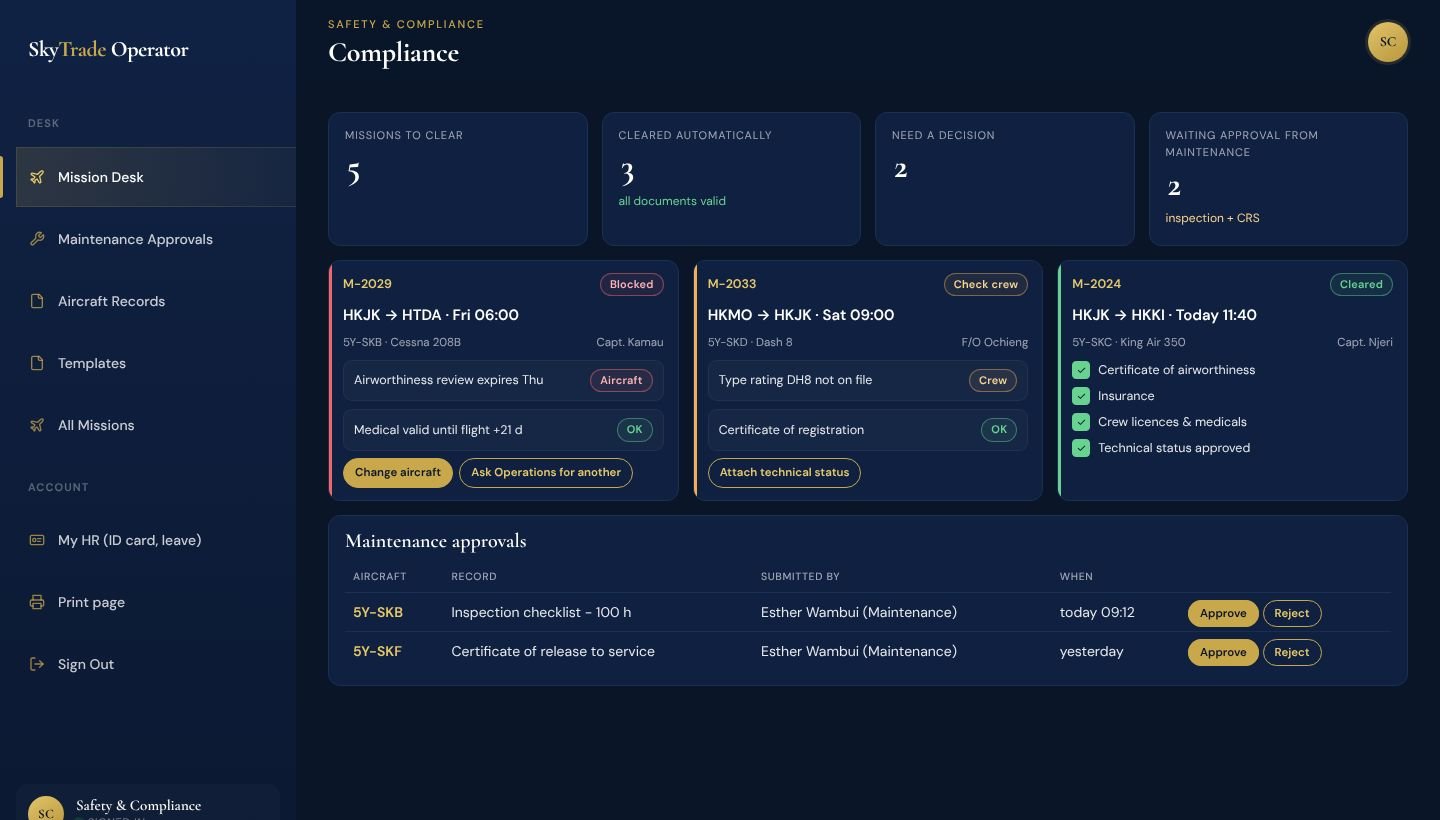
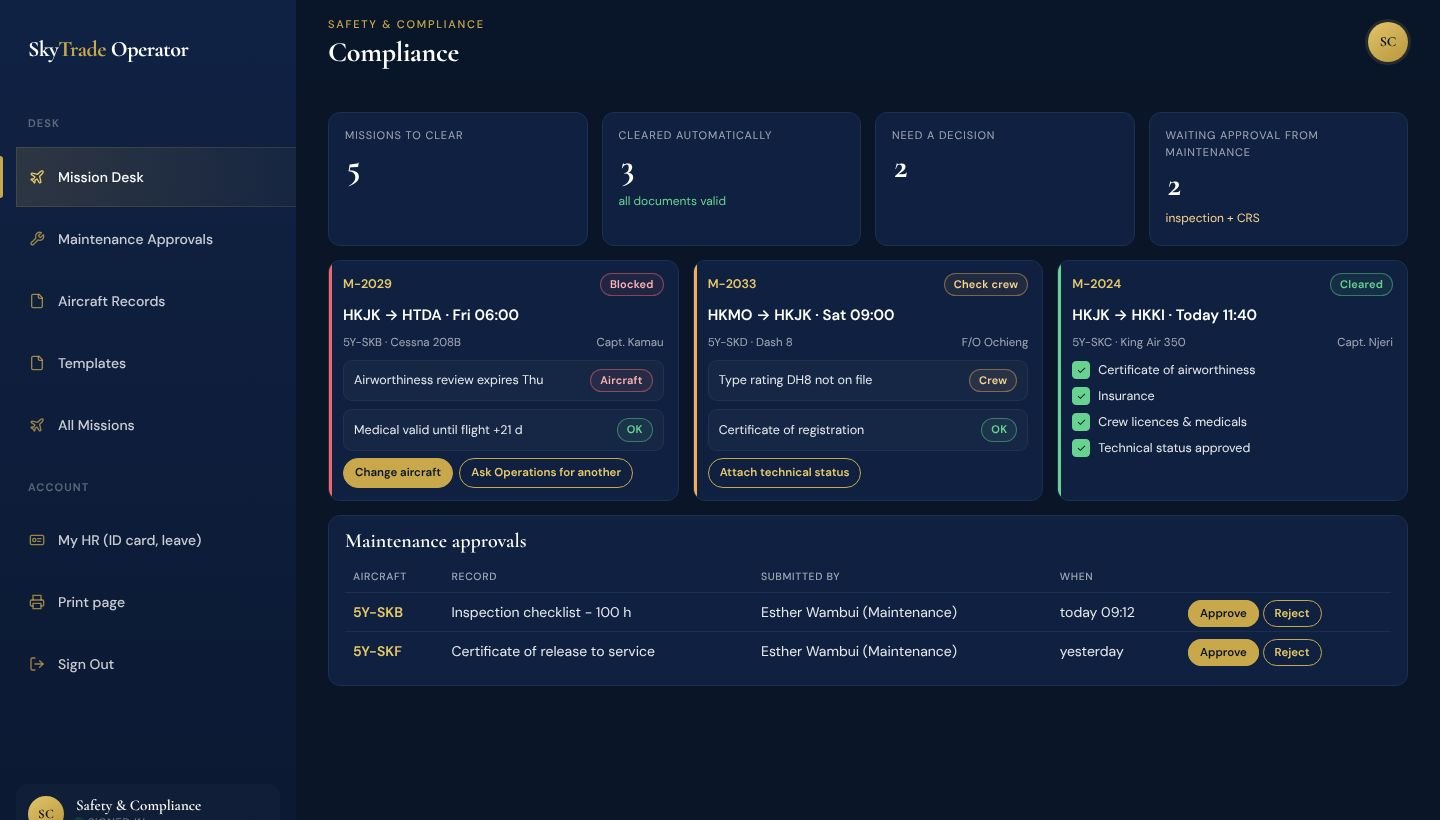
Safety and Compliance mission desk: only the flights that need a decision, with the fix one click away
How It Works

One mission. Every role. Nothing skipped.

Each team does its part on its own screen - and the mission only moves on when that part is really done.

  1. 01BookingsA request comes inFrom your website, email or a phone call - one queue, quoted in minutes.
  2. 02OperationsIt becomes a missionOperations owns it on the mission board from first request to landing.
  3. 03Fleet ManagementAn aircraft is pickedOnly aircraft that are free, airworthy and not on hold can be chosen - or borrow one from a partner.
  4. 04Crew ManagementCrew are assignedRated, current and rested - duty limits are counted for you.
  5. 05Safety & ComplianceIt is cleared on proofCertificates, medicals and the aircraft's approved technical status are checked before the flight, not after.
  6. 06Flight SupportThe trip is preparedPermits, handling, fuel and the route check are ticked off per mission.
  7. 07Dispatch / OCCIt is releasedToday's board shows what's boarding, airborne, delayed and landed - with the weather at both ends.
  8. 08PilotIt is flown and reportedThe crew see the trip, fly only when cleared, and report airborne and landed.
  9. 09FinanceThe client is billedQuote, invoice and receipt carry the same numbers - nothing retyped.
  10. 10ExecutiveHQ sees it allEvery mission, every branch, every blocker and the revenue - live.
From Executive to Pilot

Every role gets the screen it actually needs.

Twelve roles, one system. Pick a role to see what they work with every day.

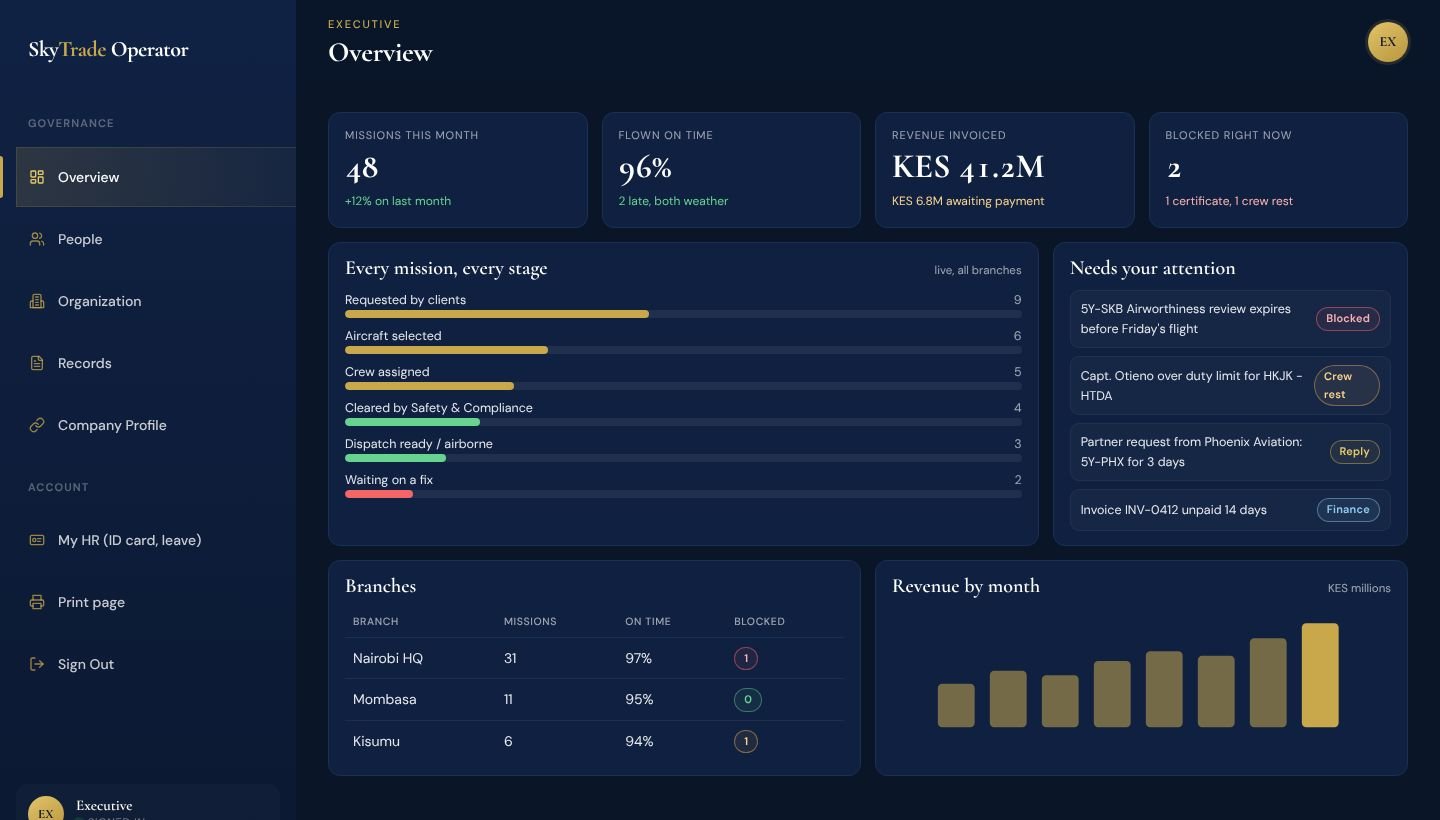
Executive dashboard in SkyTrade Operator
Executive

See the whole operation without asking for an update.

One overview across every branch: what's flying, what's stuck, and what it's earning - so you step in before a problem becomes a cancelled flight.

  • Every mission at every stage, across all branches
  • Blockers named plainly - an expiring certificate, a crew member out of hours, a partner waiting on a reply
  • Revenue invoiced against revenue paid
  • Your company profile, people, terms and records in one place
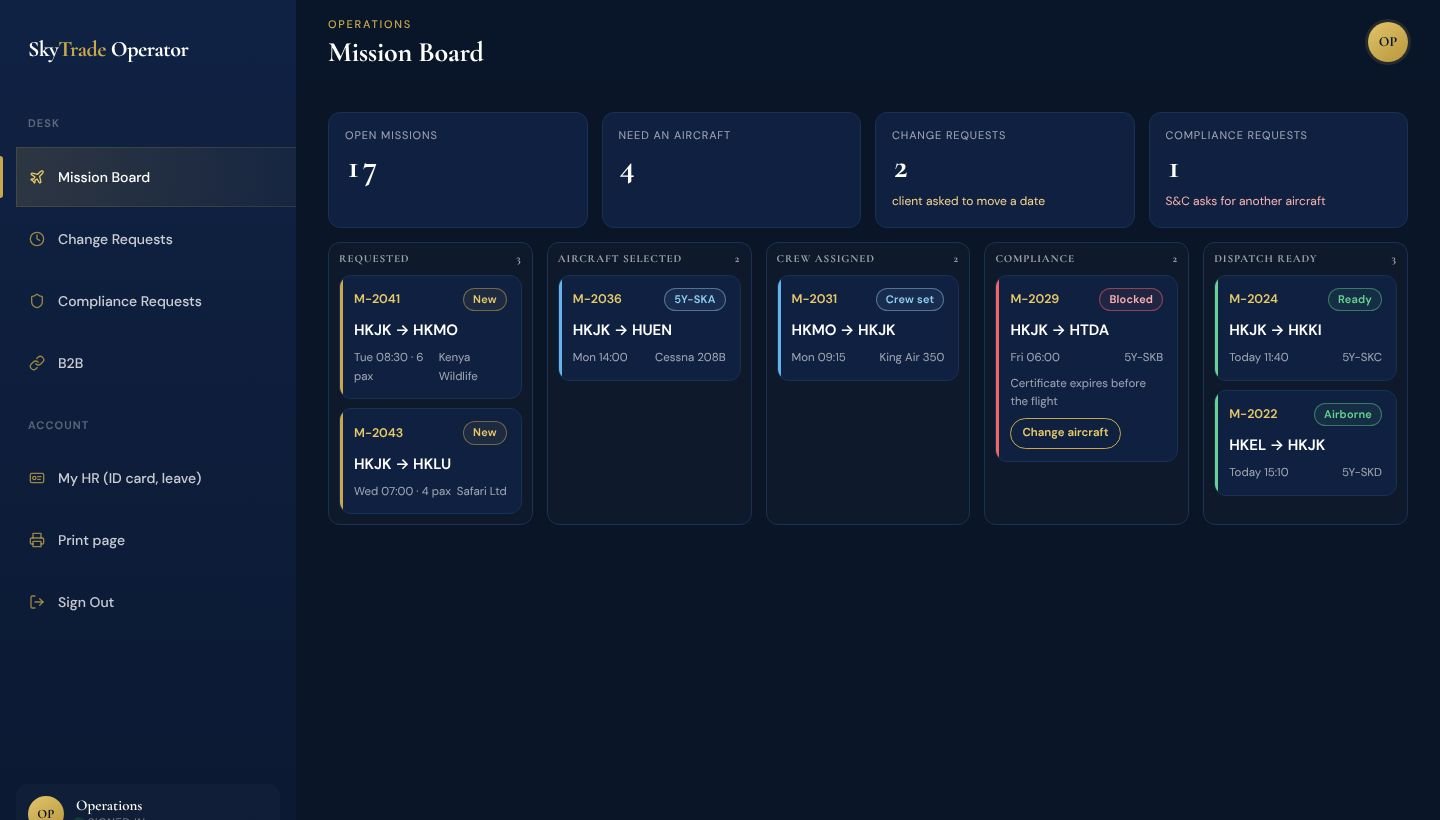
Operations dashboard in SkyTrade Operator
Operations

Run the mission board, not the phone.

Missions move through the same steps every time and can't skip one, so nothing reaches the ramp half-prepared.

  • Requested → aircraft → crew → compliance → dispatch, on one board
  • Client change requests handled in the open, not in a chat
  • Requests from Safety & Compliance for a different aircraft land here
  • Short an aircraft? Borrow one from a trusted partner
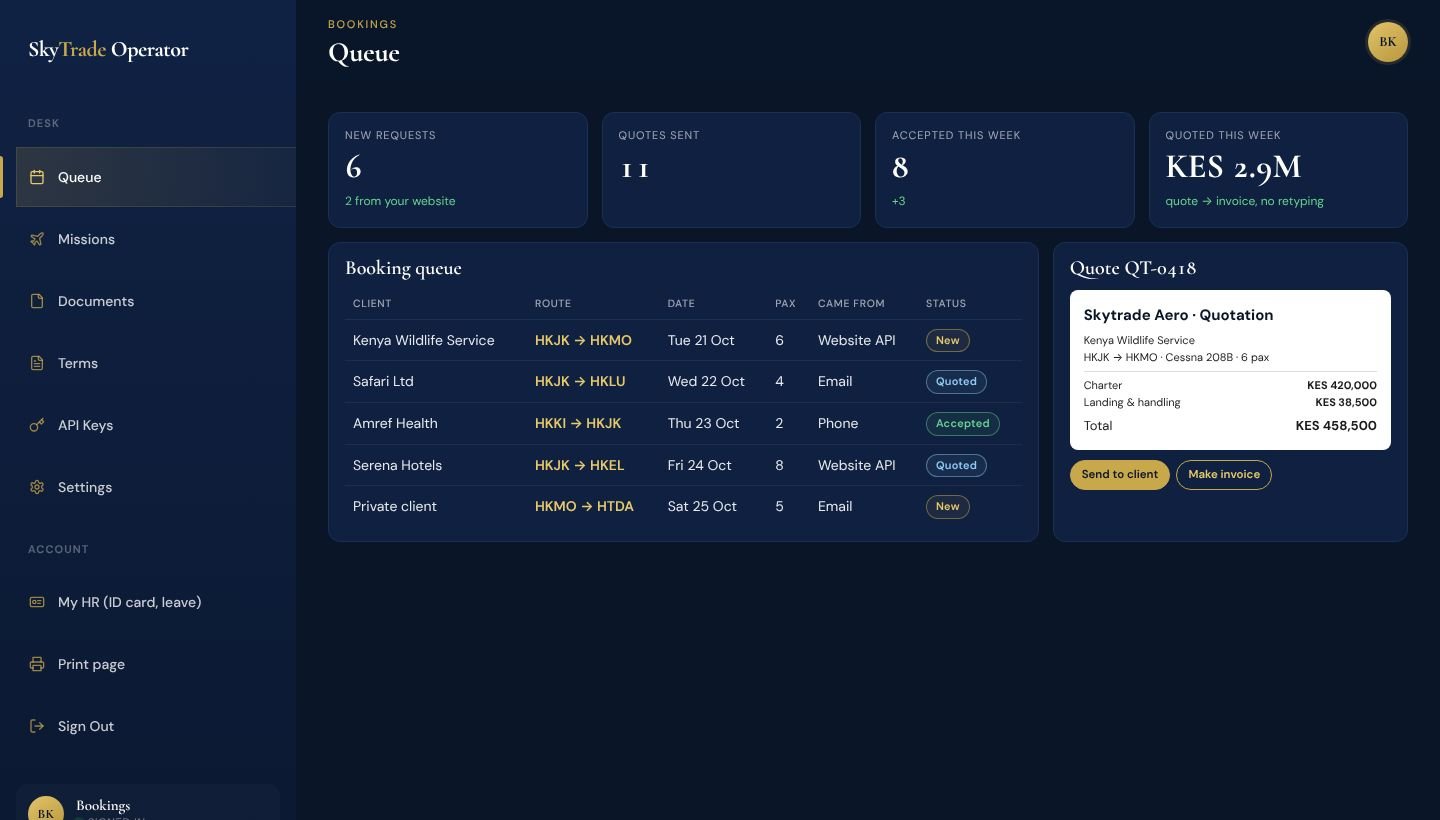
Bookings dashboard in SkyTrade Operator
Bookings

Turn a request into a booked mission in minutes.

Requests arrive in one queue whether they came from your website, an email or a phone call - and the quote turns into the invoice without anyone retyping it.

  • Website bookings flow straight in through the booking API
  • Quote → invoice → receipt, with the numbers carried over
  • Your branding and your terms on every document
  • The client accepts online with one click
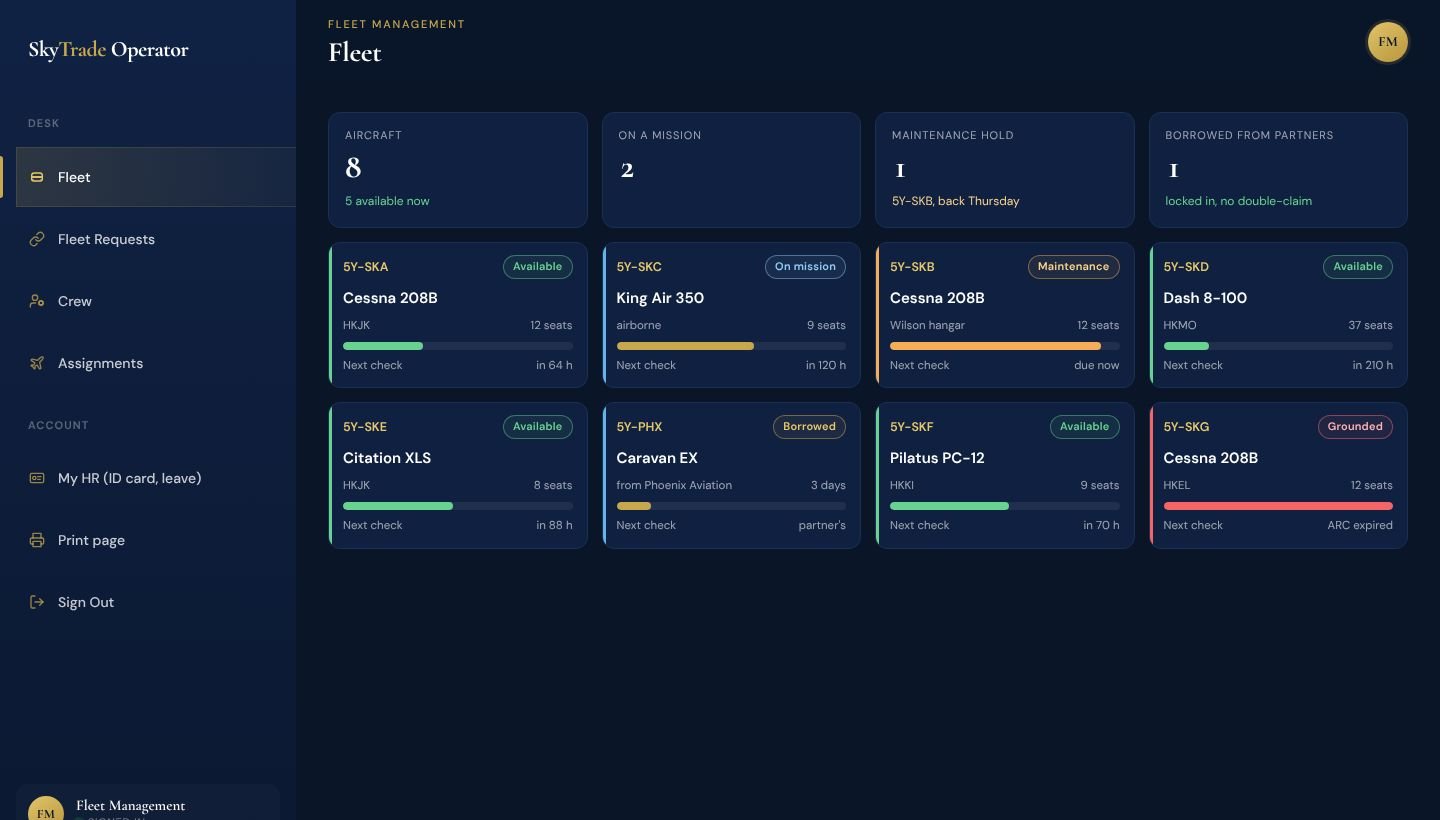
Fleet Management dashboard in SkyTrade Operator
Fleet Management

Know which aircraft can fly today.

Every aircraft's state in one place - available, on a mission, in maintenance or grounded - and no aircraft can be promised twice.

  • Live status, where each aircraft is, and time to the next check
  • Reservations that can't be double-booked
  • Borrow or lend aircraft with trusted operators - first to lock it gets it
  • Assign aircraft and crew to missions
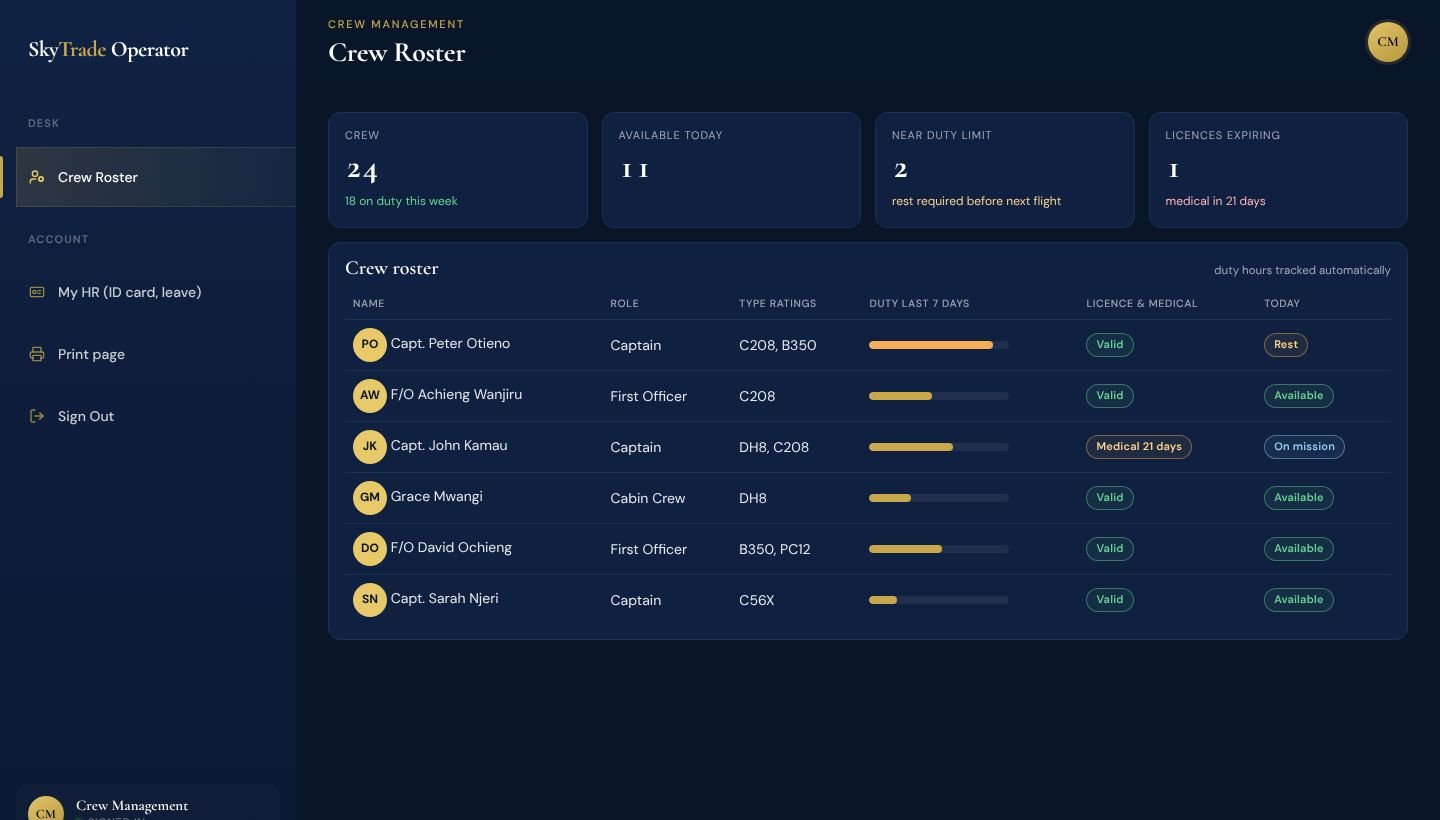
Crew Management dashboard in SkyTrade Operator
Crew Management

Put the right crew on every flight - rated, current and rested.

Duty hours, ratings, licences and medicals are kept up to date for you, so the roster never relies on someone's memory.

  • Roster with type ratings and today's availability
  • Duty hours counted automatically against limits
  • Licence and medical expiry warnings ahead of time
  • Crew profiles linked to their HR record
Safety and Compliance dashboard in SkyTrade Operator
Safety & Compliance

Every flight cleared on proof, not memory.

Missions whose documents are all valid clear themselves. The desk shows only the ones that need a decision - and what to do about them.

  • Mission desk: only flights with a missing, expired or soon-expiring document
  • Change the aircraft, or ask Operations for another one, in one click
  • Approve or reject Maintenance's inspections and release to service
  • Downloadable templates; HR and Flight Support see records read-only
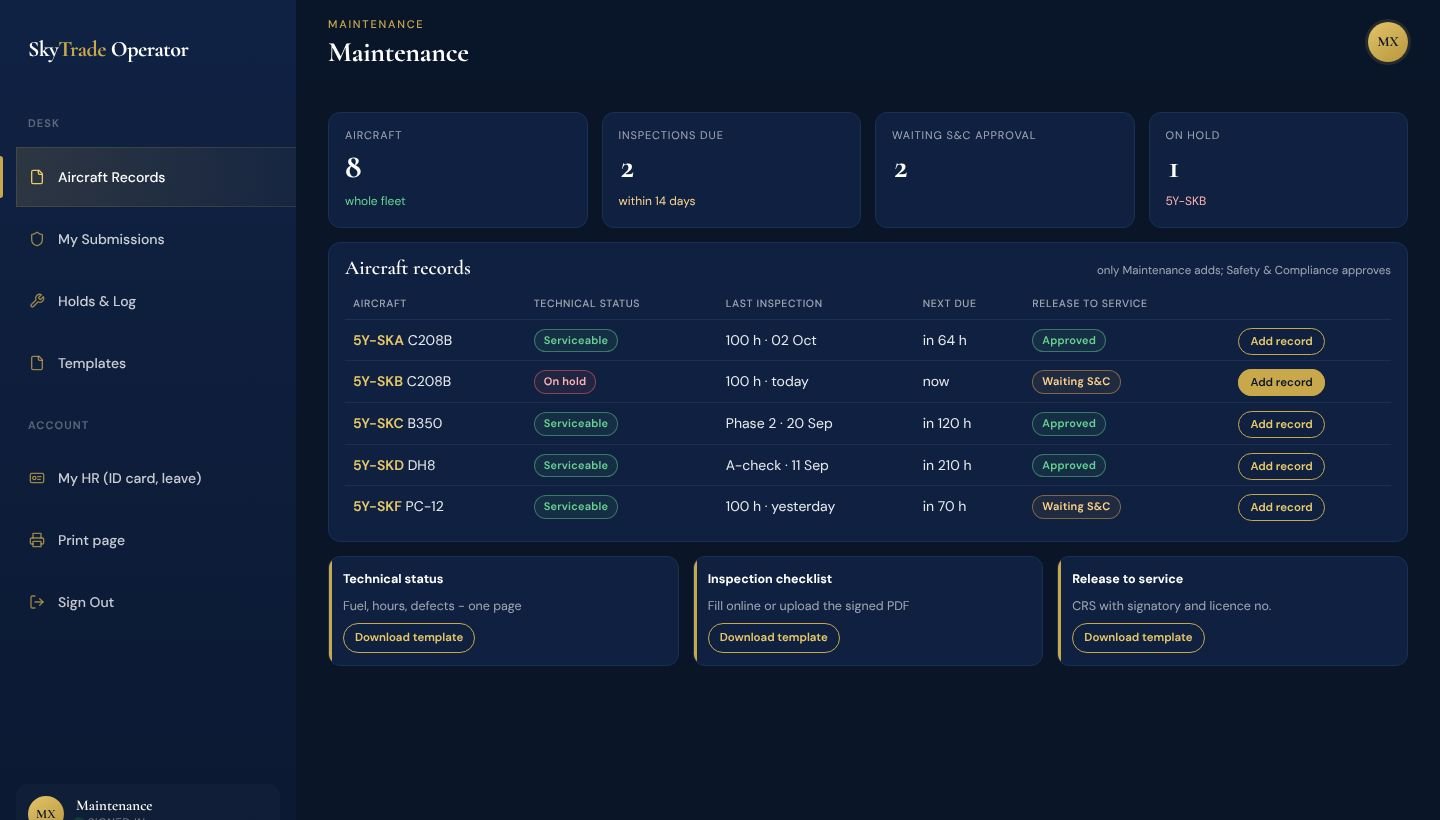
Maintenance dashboard in SkyTrade Operator
Maintenance

Your records, approved and on the aircraft's file.

Maintenance sees the whole fleet and is the only role that adds technical status, inspections and release to service - Safety & Compliance approves them.

  • Technical status, inspection checklists and CRS for every aircraft
  • Only approved records count towards the aircraft's state
  • Holds and a full log of what changed
  • Templates to download, fill and upload
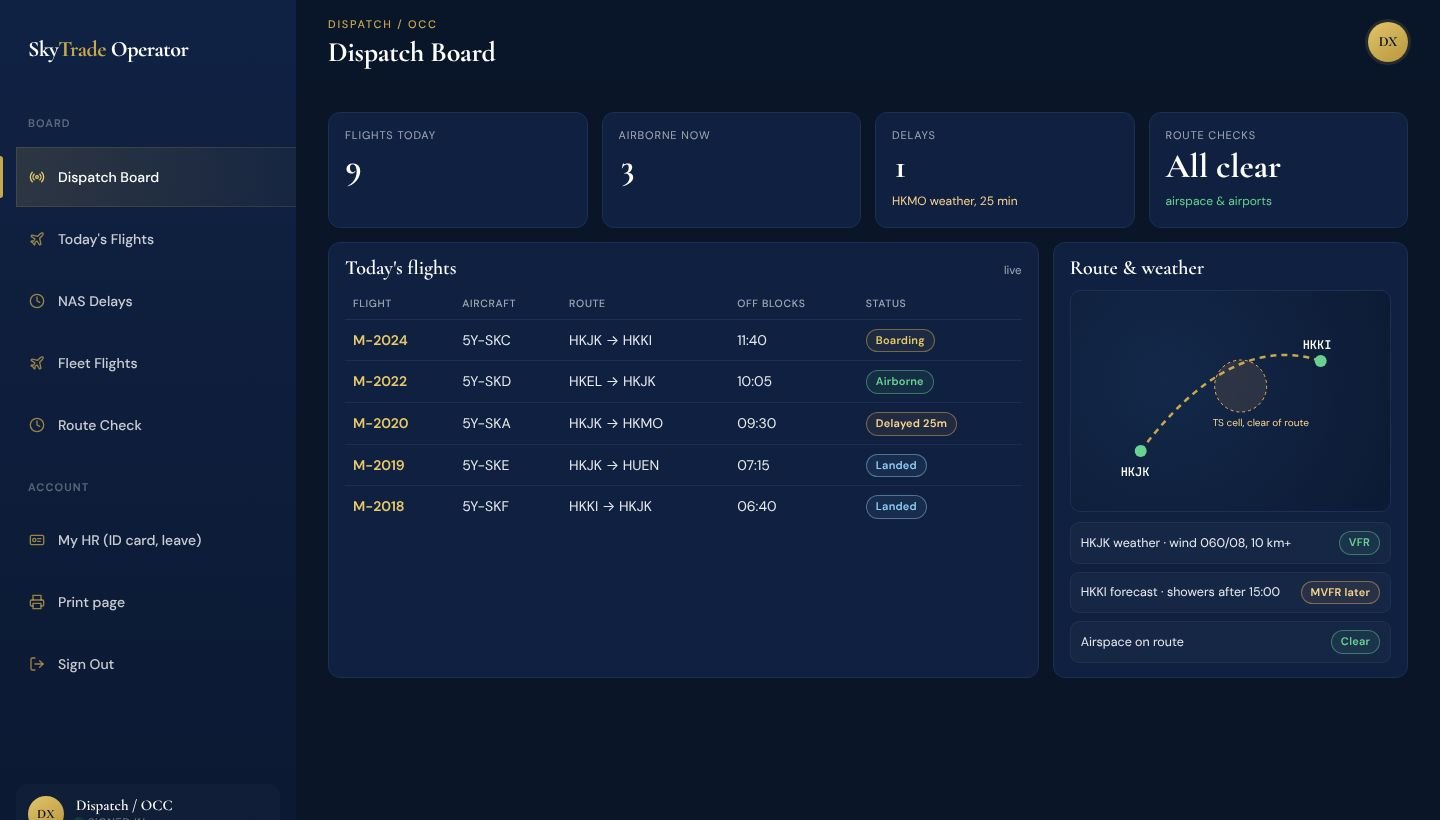
Dispatch / OCC dashboard in SkyTrade Operator
Dispatch / OCC

One board for today's flights - and the weather in front of you.

What's boarding, airborne, delayed and landed - with the weather, the route and your whole fleet on screen before anything is released.

  • Today's flights live, by status
  • Weather at departure and arrival - current reports and forecasts, with flight category
  • Route check and delays before release
  • Where every aircraft in your fleet is now, and its flight history
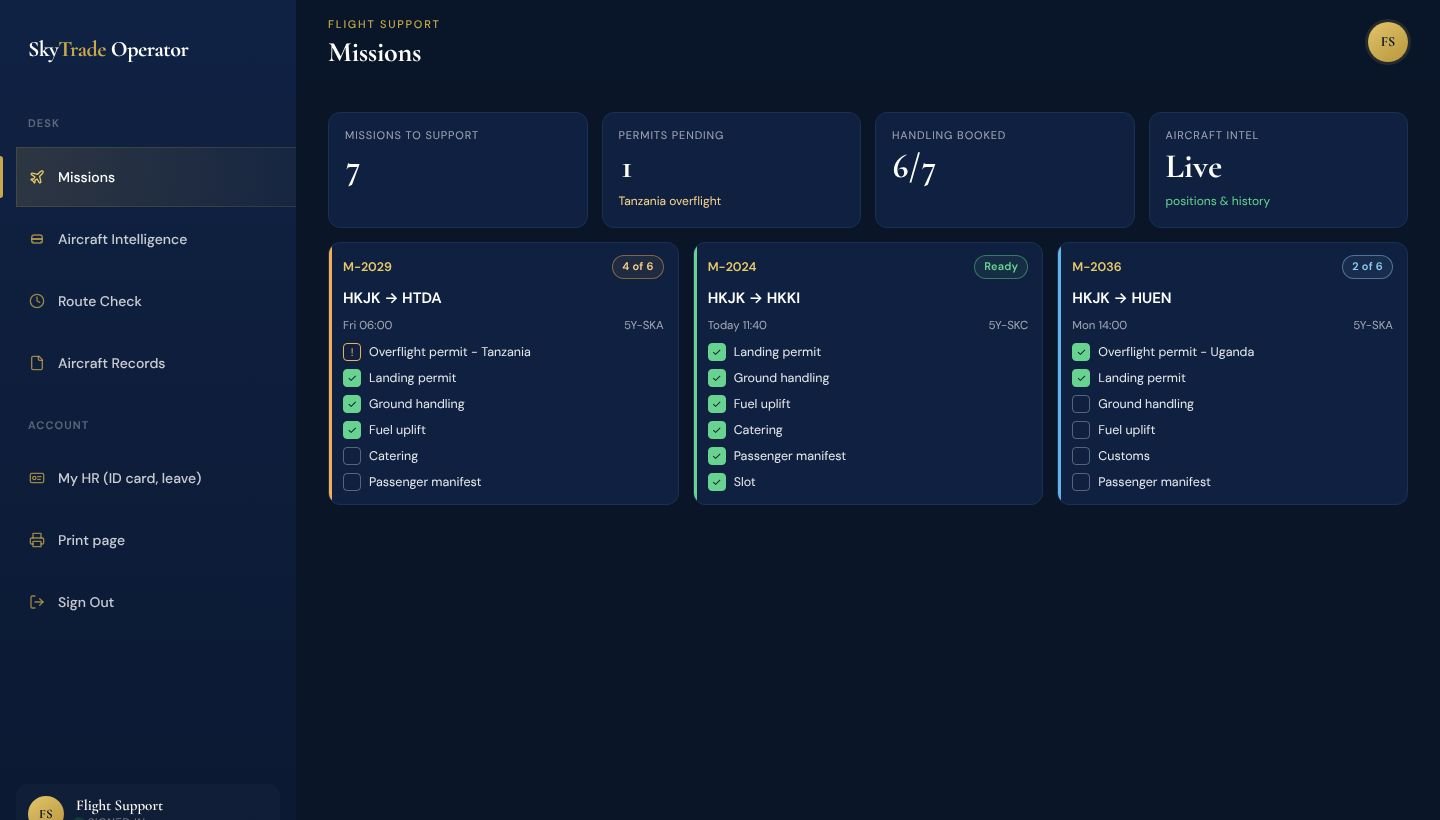
Flight Support dashboard in SkyTrade Operator
Flight Support

Permits, handling and fuel sorted before the crew asks.

Each mission carries its own support checklist, so nothing is chased at the last minute.

  • Permits, handling, fuel, catering and manifests per mission
  • Each aircraft's live position and flight history
  • Route check before every trip
  • Aircraft records at hand, read-only
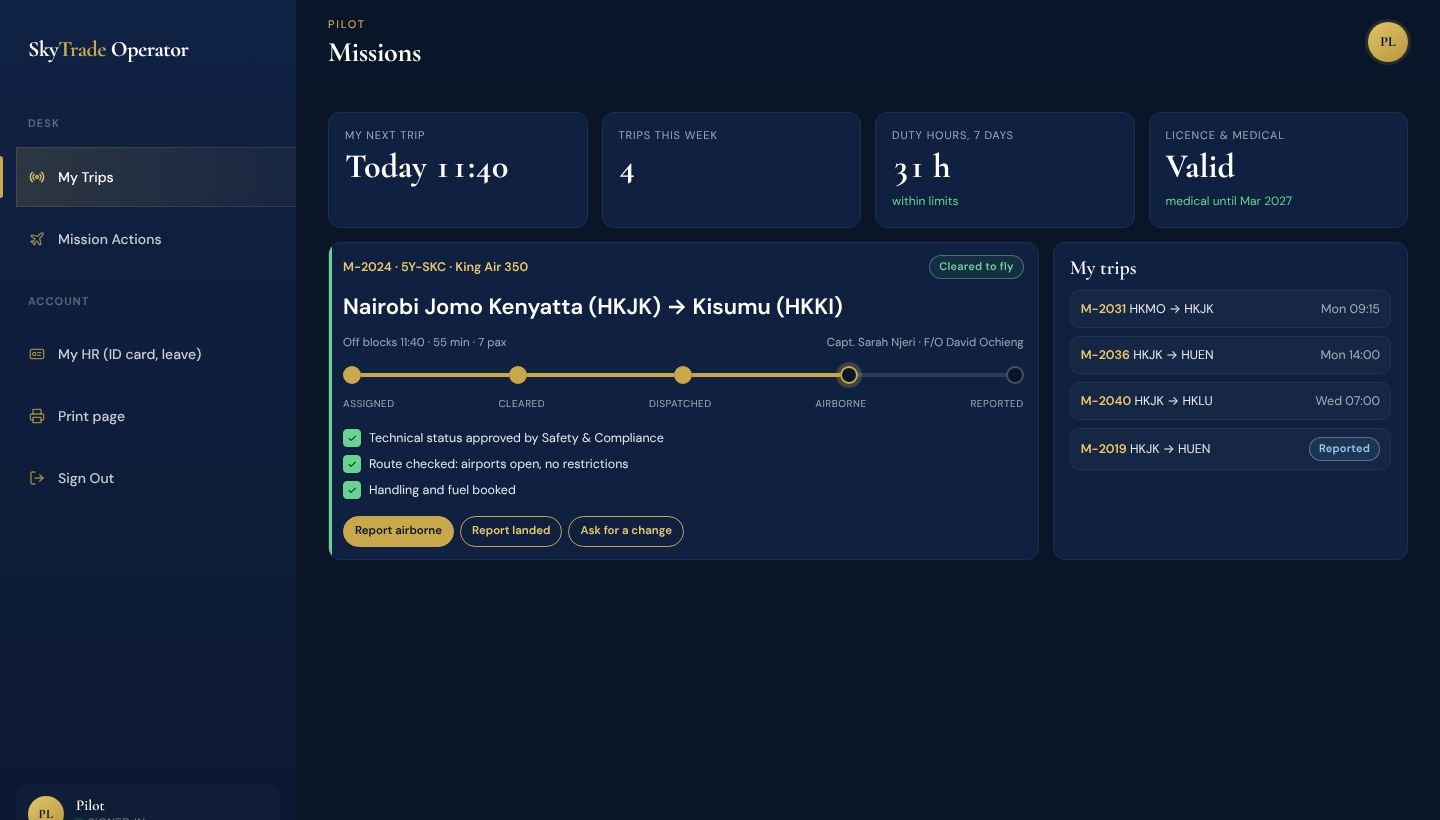
Pilot dashboard in SkyTrade Operator
Pilot

Everything for the next trip on one screen.

The crew see their trips, know the aircraft is cleared and the route is checked, and report from their phone.

  • My trips with route, times, aircraft and crew
  • Fly only when cleared - the status is on the trip
  • Report airborne and landed in one tap
  • Ask for a change; own ID card and leave in My HR
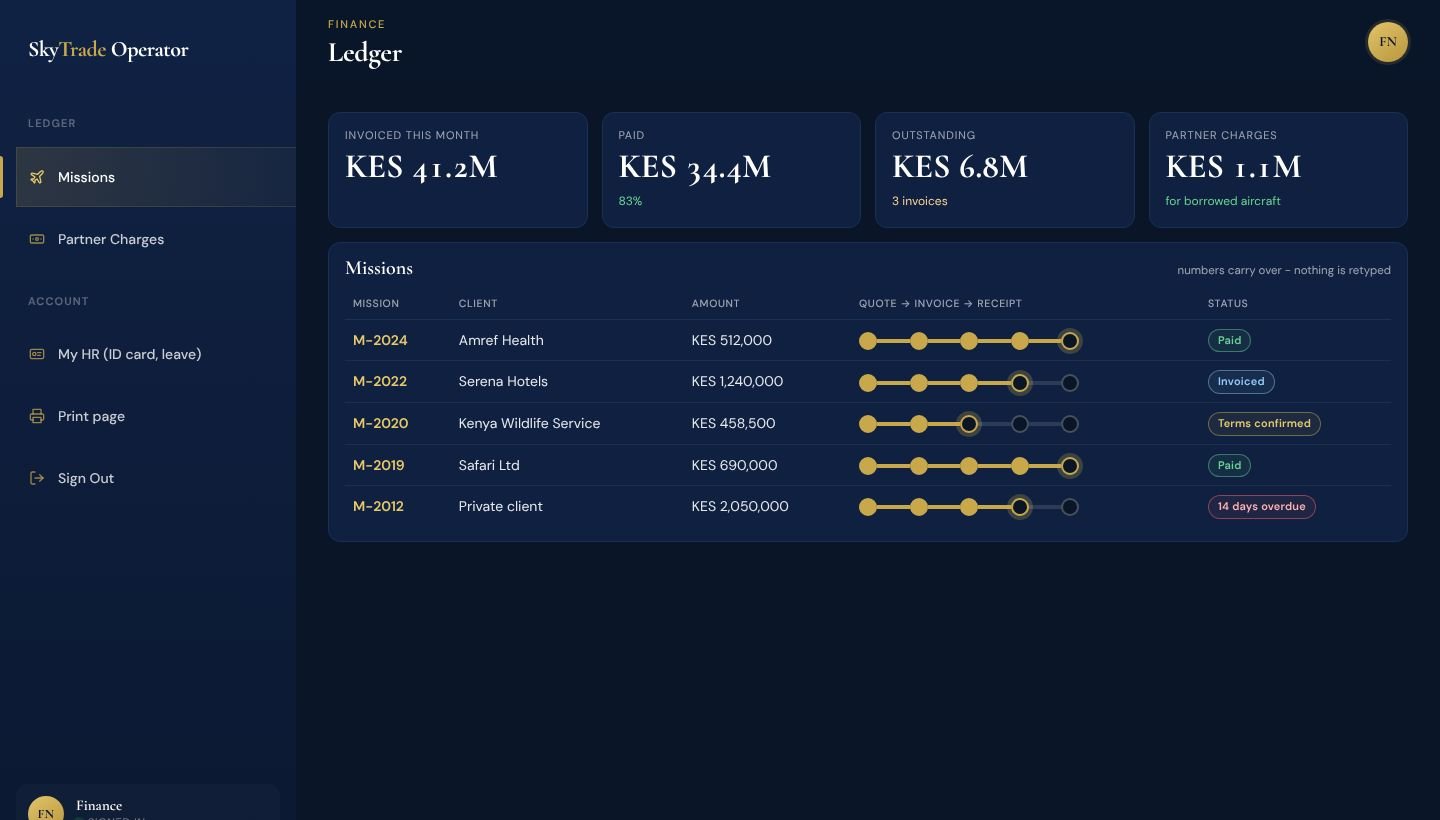
Finance dashboard in SkyTrade Operator
Finance

Get paid without rebuilding the numbers.

Every mission's quote, invoice and receipt in one ledger - and you see what's overdue before it's a problem.

  • Quote → invoice → receipt per mission
  • Commercial terms confirmed before the flight
  • Outstanding and overdue at a glance
  • Partner charges for borrowed aircraft
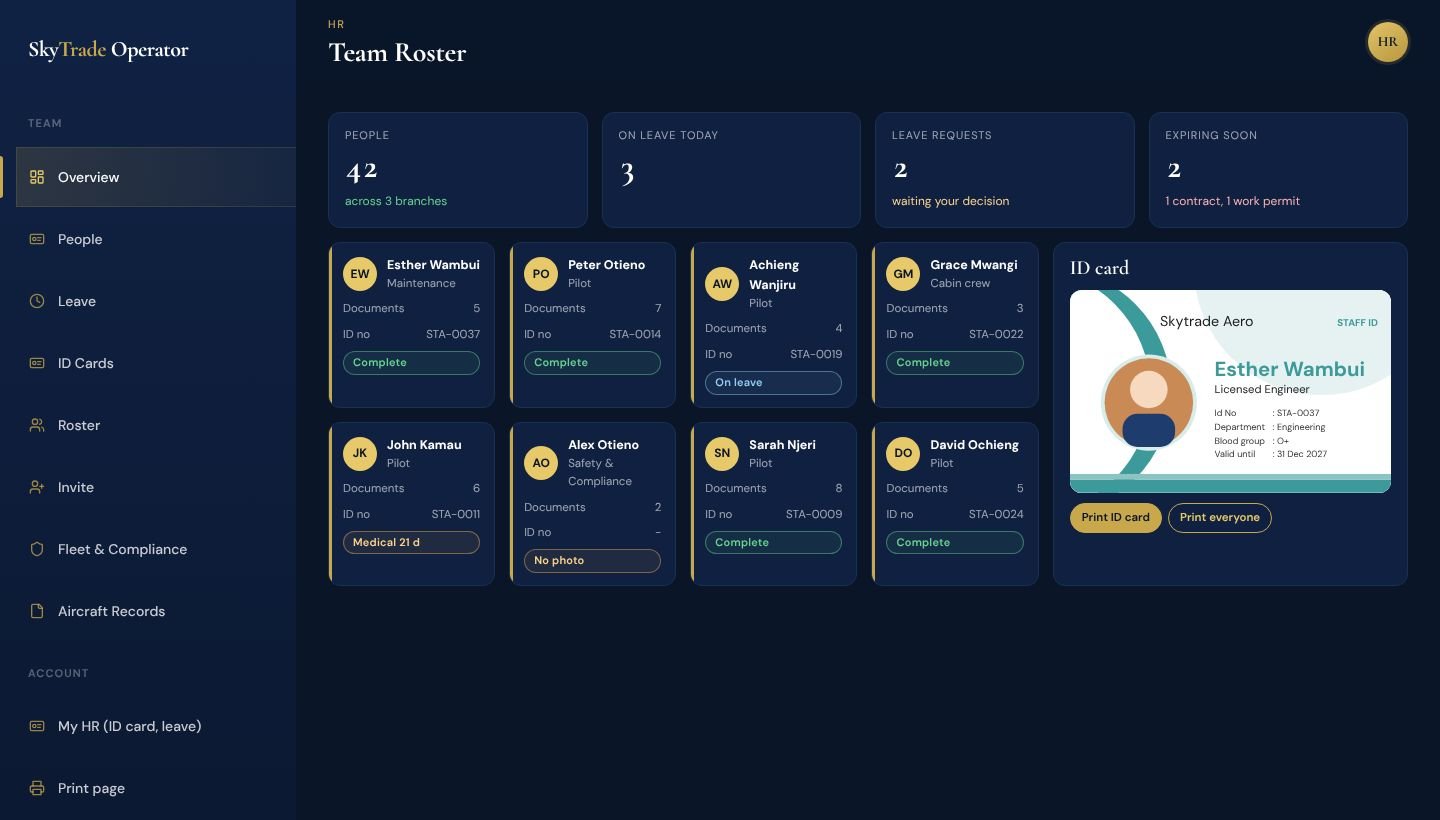
HR dashboard in SkyTrade Operator
HR

Every person, document and ID card in one place.

People, their documents, their roles and their leave - and a staff ID card that prints the right photo every time.

  • People cards with CVs, contracts and IDs on secure cloud storage
  • Give, add or remove roles within your plan
  • Leave requests, onboarding and offboarding checklists
  • Design and print ID cards; staff update what HR allows

And on every role: Print page and Support, plus My HR (own ID card and leave) for everyone below the Executive.

The Operator Network · Only On SkyTrade

Short an aircraft? Borrow one from an operator you trust.

SkyTrade Operator doesn't stop at your own hangar. Operators on the platform connect with each other, share their fleets, and borrow or lend aircraft in a few clicks - with the price agreed up front and the aircraft locked in, so nobody is ever double-booked.

  1. 1
    Connect

    Find operators on the network - or take a suggestion - and connect. Both sides agree, and accept the B2B terms, before anything is shared.

  2. 2
    Share what you choose

    For each partner you decide whether they see your fleet. Publish hourly prices: wet lease (aircraft with crew, maintenance and insurance) or dry lease (aircraft only), with a minimum of hours.

  3. 3
    Ask

    Request a specific aircraft from a partner's fleet, or send one request to borrow to every connected operator at once. Crew and ground services can be requested too.

  4. 4
    Lock it in

    The first operator to accept gets the booking, and the aircraft is reserved for those dates - it can't be promised to anyone else.

  5. 5
    Fly and settle

    The borrowed aircraft flies your mission, and the charge is recorded at the agreed price so Finance sees exactly what is owed.

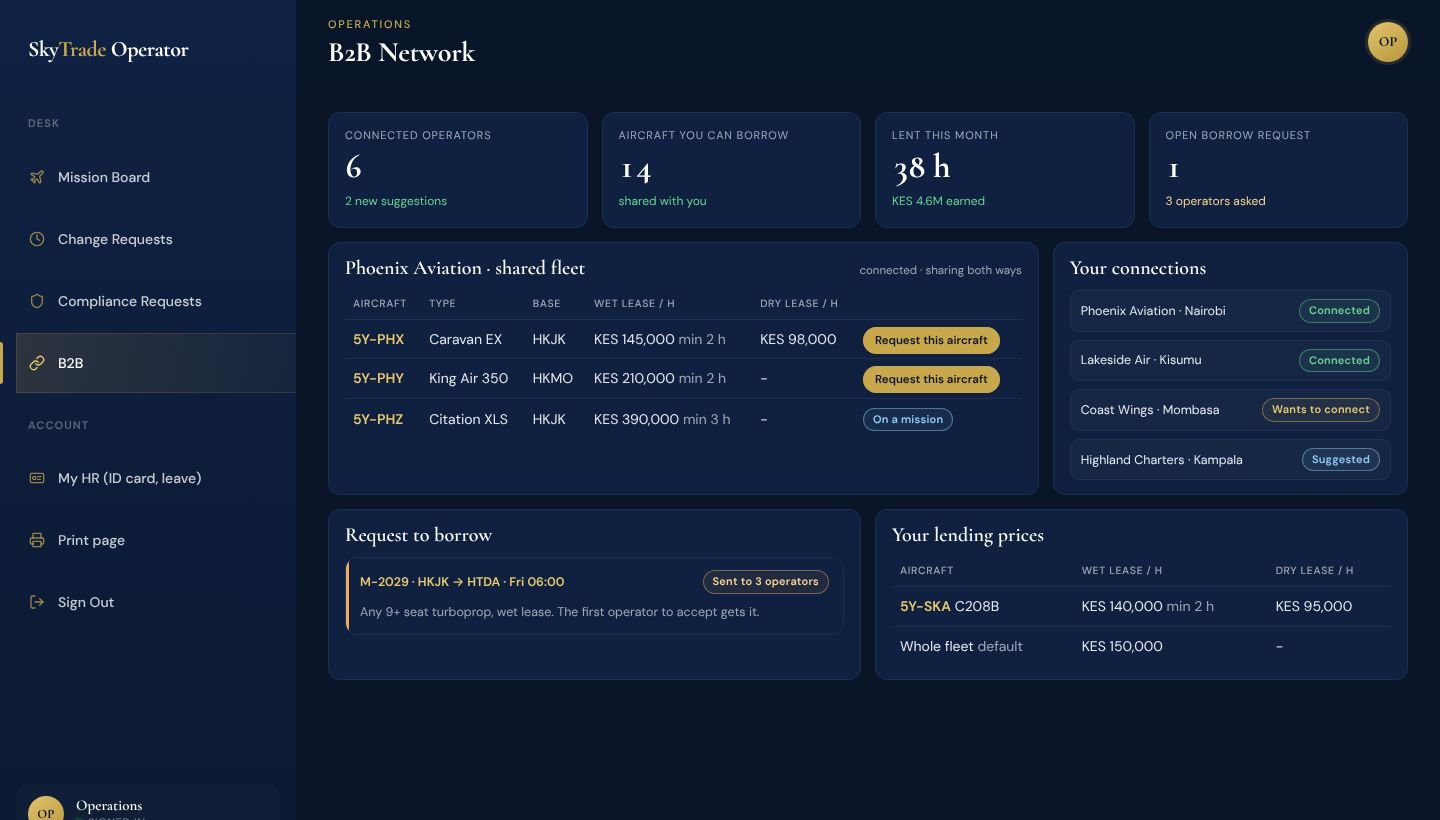
The B2B screen: a partner's shared fleet with wet and dry lease prices, your connections, a request to borrow and your own lending prices
Operations → B2B: a partner's shared fleet and prices, your connections, an open request to borrow and your own lending prices.
Turn away fewer clients

Fully booked on a Friday? Borrow the aircraft you're missing instead of saying no.

Earn from idle aircraft

An aircraft sitting on the ramp can fly for a partner - at the price you set.

Across regions

A Nairobi operator can borrow from a partner in Kampala or Mombasa as easily as from the hangar next door.

Private by default

No one sees your fleet or prices unless you connect and choose to share.

What We Offer

One platform. Every part of the operation.

Draft -> Assigned -> Airborne -> Reported
Stage 2 of 4On track

Mission Workflow

Every mission moves through the right steps in order, so nothing gets assigned before it's actually ready to fly.

Talk to us →
Cert - N412SKGood
Maint - N203GFDue soon
Crew certExpired

Fleet, Maintenance & Compliance

Know a certificate is about to expire before it grounds an aircraft, not after. Maintenance files the records, Safety & Compliance signs them off, and duty limits are watched the same way.

See compliance in action →
Borrowed - locked in, no double-claim
Partner networkTrusted only

Borrow & Lend Aircraft

Short an aircraft for a booking? Borrow one from a trusted partner instead of turning the client away. Got one sitting idle? Lend it out. Whoever locks it first actually gets it - no second calls.

See the partner network →
Quote -> Invoice -> Receipt -> Ticket
One clickNo retyping

Client Documents

Turn a quote into an invoice, into a receipt, without retyping a single number. Your client accepts with one click and gets a document that looks like you.

See Client Documents →
Your websiteConnected
New bookingStraight in

Bookings From Your Own Site

Already taking bookings through your own website? Feed them straight into your system instead of someone retyping every request by hand.

See the booking API →
4 branchesOne view

Multi-Region & Enterprise

Run more than one base? See every branch from one HQ view - what's stuck, what's slipping - instead of waiting for someone to call you about it.

See multi-region & enterprise →
The Difference

Why teams switch and don't switch back.

Ask the people who'd actually use it every day, not just the person who signs off on it.

Less Chasing People Down

Dispatch isn't calling finance to ask if something's approved yet - it's already visible to both.

Fewer "How Did We Miss That?" Moments

Compliance and duty checks happen automatically, not because someone remembered at the right time.

Less Time Rebuilding the Same Document

A quote becomes an invoice becomes a receipt - nobody's retyping the same numbers three times.

New Staff Ramp Up Faster

The system tells them what's next, instead of them having to learn who to ask and what to check.

1
Place everyone looks - dispatch, finance, and HQ see the same thing
0
Double-bookings possible on a locked aircraft you've borrowed
24/7
Compliance and duty limits checked, not just at shift change
100%
Of changes logged - a real record when you need one
Multi-Region & Enterprise

Run three bases? You shouldn't need three phone calls to know how they're doing.

One HQ view across every branch - which missions are stuck, whose compliance is slipping, which partner requests keep getting ignored. You see it as it happens, not when someone remembers to mention it.

See multi-region & enterprise →
Missions stuck >24hYou'd know
Compliance slippingYou'd know
Cancellations waiting on someoneYou'd know
Partner requests being ignoredYou'd know
Client Documents

Bill a client without rebuilding the same numbers three times.

A quote becomes an invoice becomes a receipt - the numbers carry over, nothing gets retyped. Your client accepts with one click, on a document that actually looks like your company sent it.

See Client Documents →
QuoteSent
InvoiceOne click away
ReceiptAutomatic
Client seesA real document
Dispatch & Flight Support

Release a flight with the weather, the route and the fleet in front of you.

Every mission comes with its own briefing: current weather reports and forecasts for the departure and arrival airports, the flight category at each end, delays and a route check. And your own fleet is on one screen - where each aircraft is right now, and where it has flown.

See the Dispatch screen →
Weather at departureReport & forecast
Weather at arrivalFlight category
Delays & route checkBefore release
Your fleetPositions & history
A Platform of SkyTrade Aviation

SkyTrade Operator is built and run by SkyTrade Aviation - the same company that flies private charter, helicopter transfers and medevac every day. Flying with us instead?

Book a charter with SkyTrade Aviation
Curious If This Fits Your Team?

See what your own dispatch board would actually look like.

No pressure, no generic slide deck - just a look at how it'd work for your operation.